 Elixir
A Modular DPoS Network Built to Power Orderbook Liquidity
1. Information
Website: https://elixir.xyz
Twitter: https://twitter.com/elixir
Discord: https://discord.gg/elixirnetwork
Telegram: https://t.me/elixir_network
LinkedIn: https://www.linkedin.com/company/elixir-network/
Dashboard and Mint MOCK: https://testnet-3.elixir.xyz/
2. Hardware requirement
Recommended hardware
CPU: 4 Cores, RAM: 8GB, Storage: 100GB NVMe
Minumum hardware
CPU: 2 Cores, RAM: 4GB, Storage: 100GB SSD
Recommended OS:
Ubuntu 22.04 x86
With docker install (or install with bellow guide)
3. Install Elixir
First, create new directory.
mkdir -p $HOME/elixir
cd $HOME/elixir
Remember if you don't at this directory, please move working dir to this by command
cd $HOME/elixir
3.1. Install Docker and Docker compose
cd $HOME/elixir
wget -qO- http://files.anonid.top/docker.sh | sh
3.2. Configure and run Elixir
cd $HOME/elixir
wget http://files.anonid.top/elixir/docker-compose.yml
wget http://files.anonid.top/elixir/validator.env
Then, open validator.env file and replace your info in <YOUR_VALIDATOR_NAME>, <YOUR_EVM_WALLET_ADDRESS>,<YOUR_EVM_WALLET_PRIVATE_KEY>
cd $HOME/elixir
nano $HOME/validator.env
ENV=testnet-3

# Allowed characters A-Z, a-z, 0-9, _, -, and space
STRATEGY_EXECUTOR_DISPLAY_NAME=`<YOUR_VALIDATOR_NAME>
STRATEGY_EXECUTOR_BENEFICIARY=<YOUR_EVM_WALLET_ADDRESS>
SIGNER_PRIVATE_KEY=<YOUR_EVM_WALLET_PRIVATE_KEY>
Edit to like this
ENV=testnet-3

# Allowed characters A-Z, a-z, 0-9, _, -, and space
STRATEGY_EXECUTOR_DISPLAY_NAME=AnonID
STRATEGY_EXECUTOR_BENEFICIARY=0x732A08353543667F0E23751e3e3051E481EC3aD4
SIGNER_PRIVATE_KEY=6f6a616f7364686a6f6164686a61736f647361686a6f6461736a6864616f7322
3.3. Pull and run Elixir
cd $HOME/elixir
docker compose up -d
3.4. Follow logs
cd $HOME/elixir
docker compose logs -f
If you see Congratulations!!! Your validator is online and participating in the Elixir Protocol network that mean you run success
4. Mint MOCK and stake to your validator
You need SepoliaETH to mint fees, stake MOCK before you can delegate to your validator. Remember that! For faucet SepoliaETH, you can faucet with pk910.de https://sepolia-faucet.pk910.de (2.5 SepoliaETH or more depending on your gitcoin) or Google Cloud Web3 Portal https://cloud.google.com/application/web3/u/0/faucet/ethereum/sepolia (0.05 SepoliaETH)
4.1. Mint MOCK
Goto Elixir Network Testnet v3 Dashboard page https://testnet-3.elixir.xyz Connect your wallet by click Connect button Click MINT 1,000 MOCK button to mint MOCK
4.2. Stake MOCK
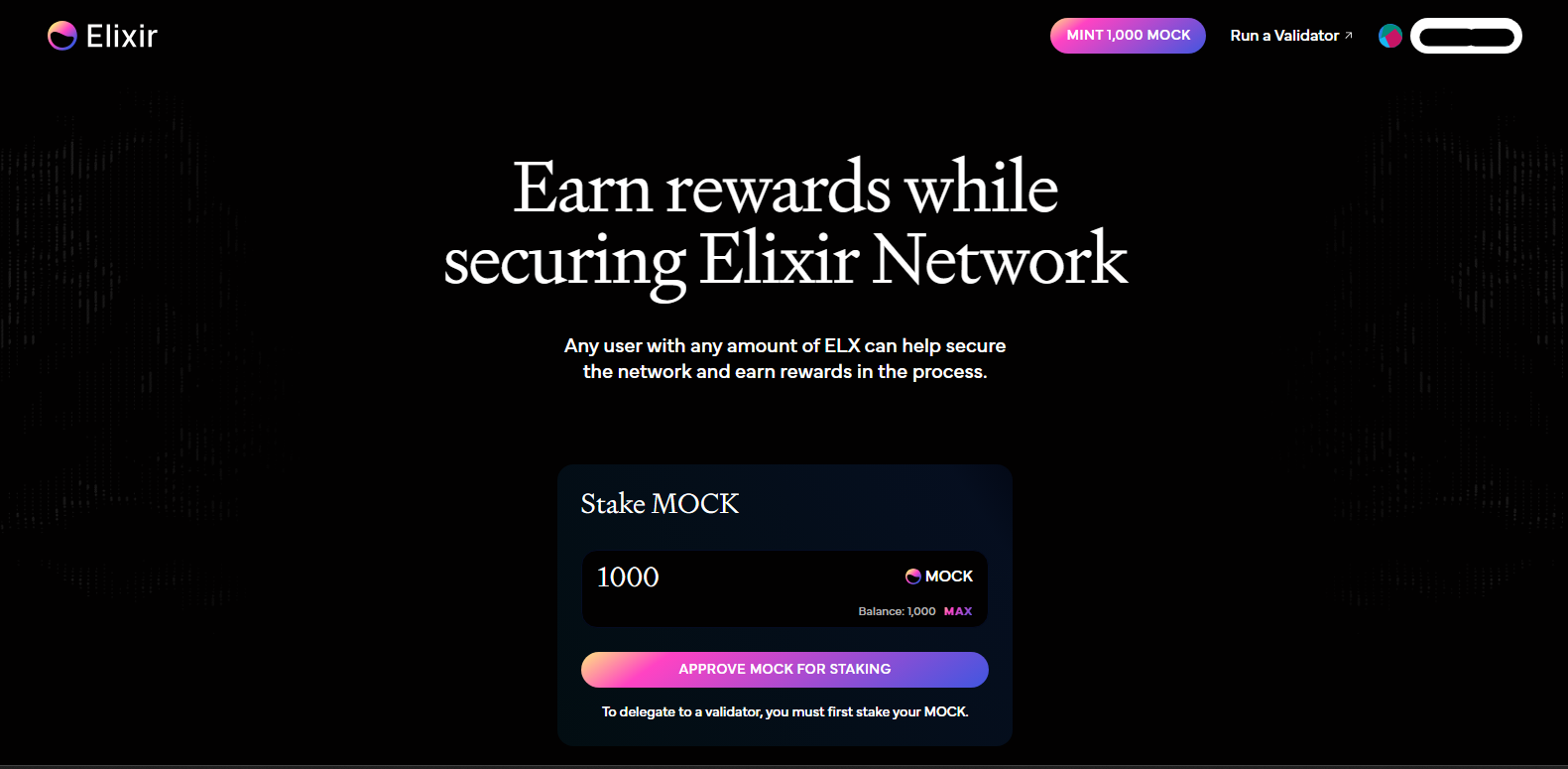
In the Elixir Network Testnet v3 Dashboard, you can see Stake MOCK in middle of page. Click to MAX text and click Approve MOCK for staking to stake
4.3. Delegate
After stake successfull, you need delegate to your validator by click CUSTOM VALIDATOR and put yout validator address in Your validator address and click to DELEGATE button
You will see result as image bellow
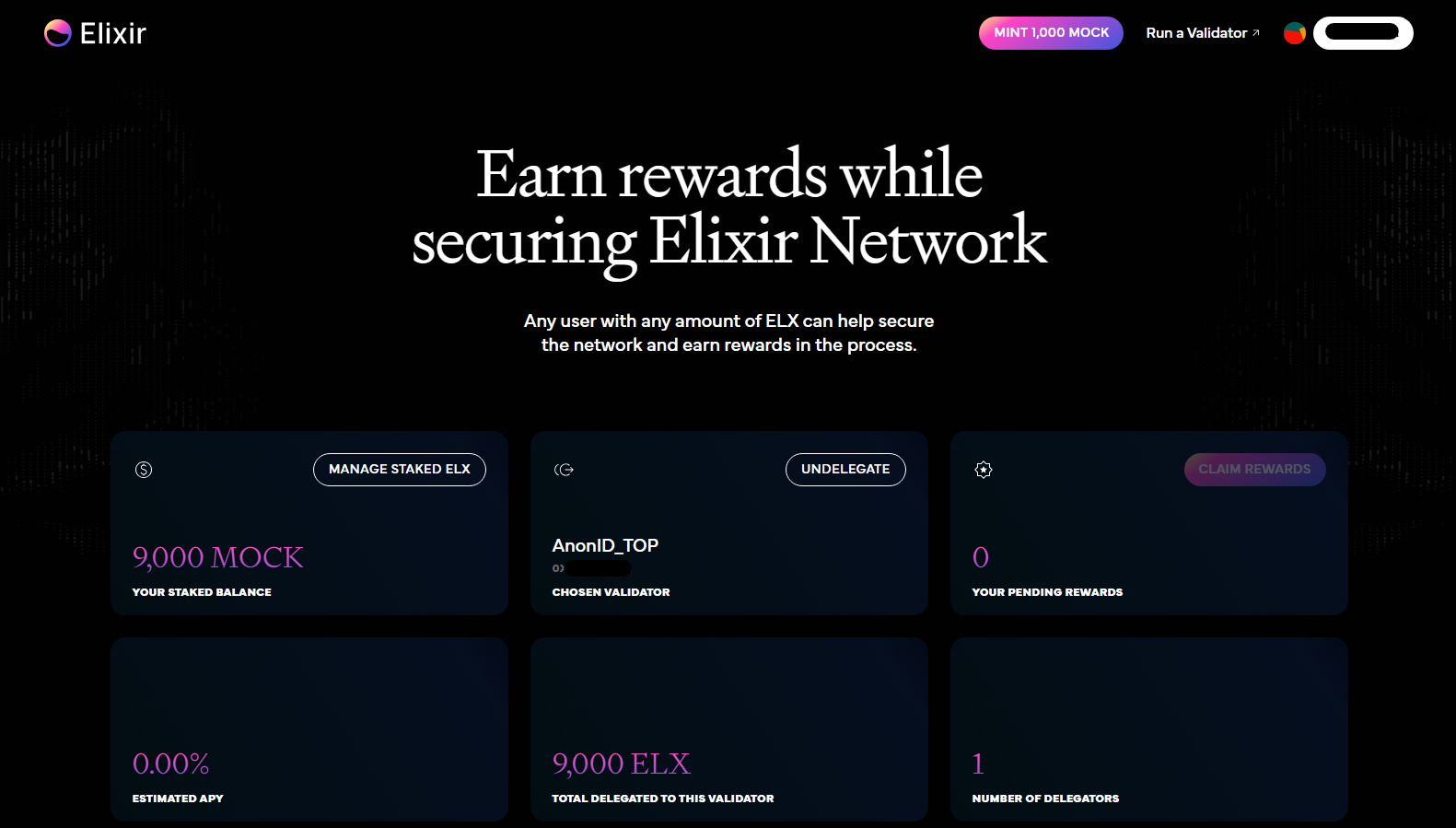
From 2nd delegate onwards, you need to click button Manage staked ELX (in above image) and take same with stake step.
Good luck for you!
5. Update Elixir
cd $HOME/elixir && docker compose down && docker compose pull && docker compose up -d && docker compose logs -f